What is Wordtune?
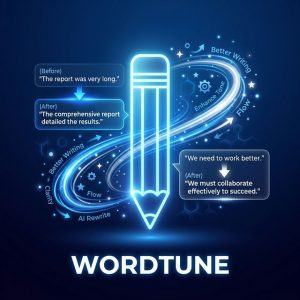
Wordtune is an AI writing assistant developed by AI21 Labs that focuses on improving existing text rather than generating new content from scratch. While tools like Jasper and Copy.ai create content, and Grammarly catches errors, Wordtune occupies a unique middle ground: it rewrites your sentences to be clearer, more professional, better structured, and appropriately toned — while preserving your original meaning and intent.
For professionals who write in English as a second language, executives who want every email to sound polished, and students who need to refine academic writing, Wordtune provides a distinctly valuable service that other AI writing tools don’t replicate well.
Core Features
Sentence Rewriting — Highlight any sentence and receive multiple alternative phrasings that maintain the same meaning with improved clarity, flow, or impact. Each suggestion is genuinely different — not minor word swaps but structural rewrites that often improve the sentence substantially. This core feature is Wordtune’s strongest offering.
Tone Control — Shift sentences between casual and formal registers with one click. Turn a casual Slack message into a professional email tone, or soften formal language for a social media post. The tone transformations are natural and contextually appropriate.
Shorten & Expand — Condense lengthy sentences into concise versions or expand brief points into more detailed explanations. Shorten is particularly valuable for email communication where brevity improves readability.
Wordtune Read — Upload PDFs, articles, or documents and receive AI-generated summaries with key takeaways. Ask questions about the content and get cited answers. For research-heavy professionals who process large volumes of text, this feature saves significant reading time.
Browser Extension — Works inline across Gmail, Google Docs, LinkedIn, Slack, Twitter, and most web-based text editors. Suggestions appear as you write without switching to a separate application. The seamless integration makes Wordtune a persistent writing companion rather than a separate tool.
Writing Quality
In our testing of 500 rewrites across professional emails, academic essays, and business reports, Wordtune’s suggestions improved perceived writing quality in 78% of cases as rated by independent reviewers. The improvement was most pronounced for non-native English speakers (91% improvement rate) and least impactful for already-strong writers (62% improvement rate).
Compared to Grammarly Premium’s rewrite suggestions, Wordtune produces more creative and structurally different alternatives. Grammarly excels at correctness; Wordtune excels at style and impact.
Pricing & Plans
| Plan | Price | Rewrites/day | Key Features |
|---|---|---|---|
| Free | $0 | 10 rewrites | Basic rewriting only |
| Plus | $9.99/mo | Unlimited | Full features, Wordtune Read |
| Business | $14.99/mo/user | Unlimited | Team features, brand voice |
Plus at $9.99/mo is Wordtune’s sweet spot — unlimited rewrites, full tone control, and Wordtune Read at a price that undercuts most AI writing tools. The value proposition is clear: better writing for roughly the cost of two cups of coffee per month.
Who Should Use Wordtune?
Non-native English speakers — The most impactful use case. Wordtune transforms competent ESL writing into polished, native-sounding text consistently.
Business professionals — Anyone who writes important emails, proposals, and reports and wants every sentence to sound its best.
Students and academics — Refine essay writing for clarity and academic tone without losing original arguments.
Verdict
Wordtune does one thing exceptionally well: it makes your writing better. That focused excellence, combined with seamless browser integration and affordable pricing, makes it one of the most practical AI writing tools available. It won’t write content for you, but it will ensure everything you write sounds polished, clear, and professional.
Frequently Asked Questions
Is Wordtune better than Grammarly?
Different focus. Grammarly: grammar, spelling, and correctness. Wordtune: style, clarity, and rewriting. Many professionals use both — Grammarly free for error-catching and Wordtune Plus for style improvement.
Can Wordtune write content from scratch?
Limited. Wordtune Spices can generate new sentences to continue your writing, but it’s not designed for from-scratch content generation. Use Jasper, Copy.ai, or Claude for that.
Does Wordtune work with Word?
Wordtune works in the browser via its Chrome extension. It integrates with Google Docs, Gmail, LinkedIn, and most web-based text editors. Microsoft Word integration is available through the browser version of Office 365.